
Try a home on a block, before it's built.
PLACE Build is free and runs in your browser, on a phone or a computer. Here's how to choose a home, look inside it, follow the sun, try a real NSW block (beta) and make a picture to share.
Choose a home and place it on the block.
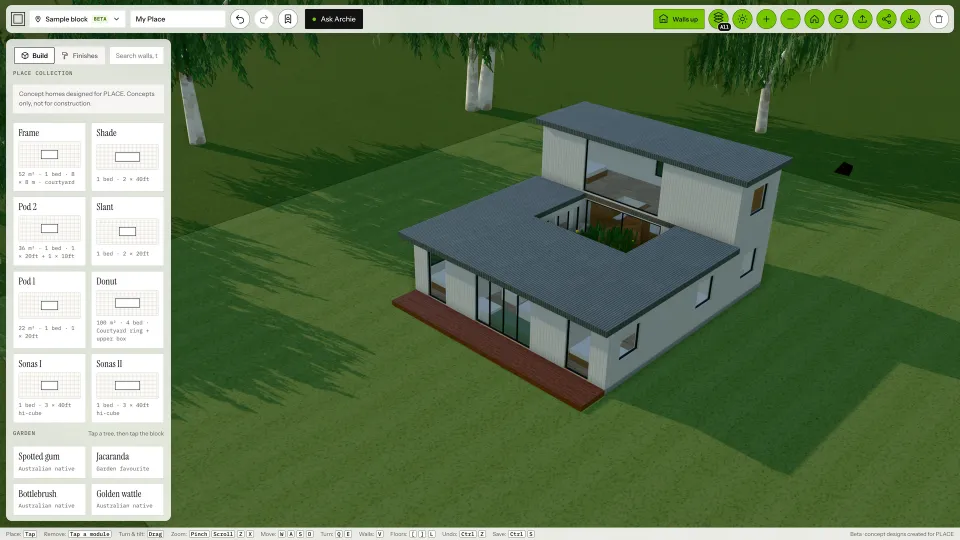
- Open PLACE Build. The left panel lists homes you can try.
- Tap a home, then tap the block to place it.
- Drag to look around. Pinch or scroll to zoom.
- Change the finishes, windows and garden as you go. Undo takes back any change.
The PLACE Collection are concept homes Designed for PLACE. They're concepts only, not for construction: a way to explore what a small, well-planned home feels like.
A company's homes. Housing companies, such as modular manufacturers, publish their own homes on PLACE. Each company has its own page, and every home on it opens in PLACE Build.
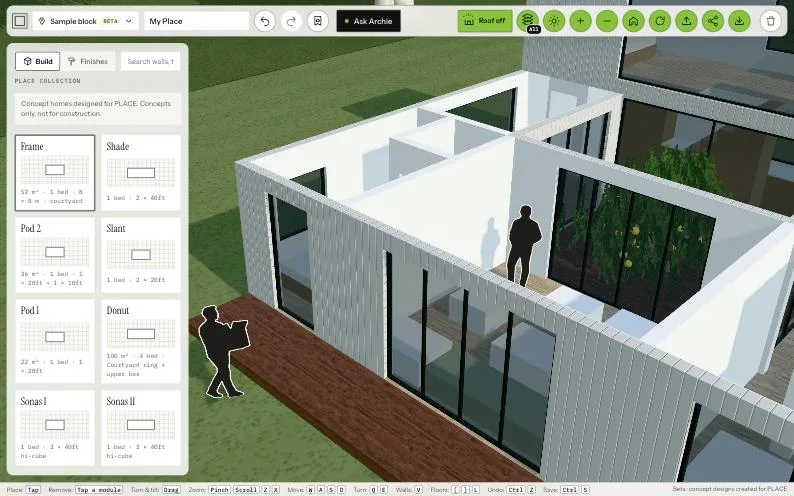
Walls up, cutaway, walls down.
The Walls button at the top steps through four views, so you can see how the rooms fit together. On a keyboard, press V. Two-storey homes also get a Floors button, to show one level at a time.
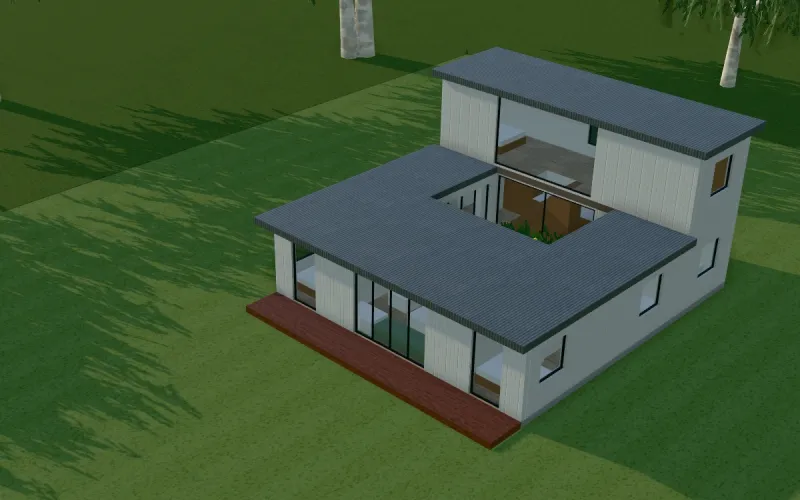
Walls upThe home as it stands. 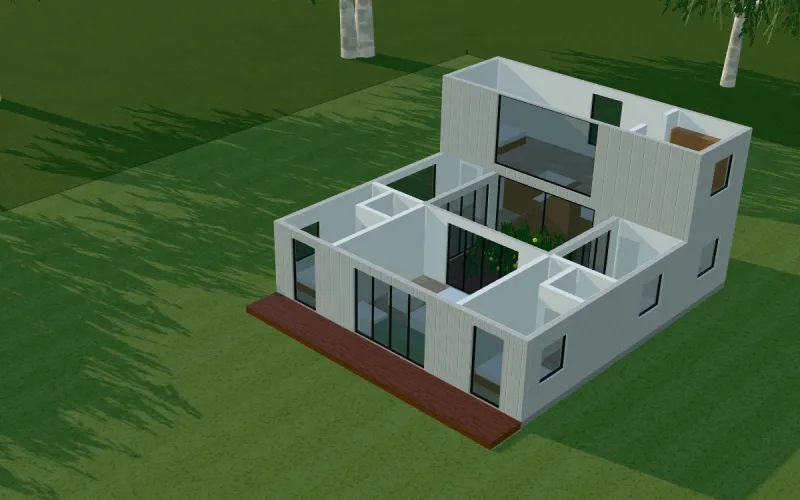
Roof offLook down into the rooms. 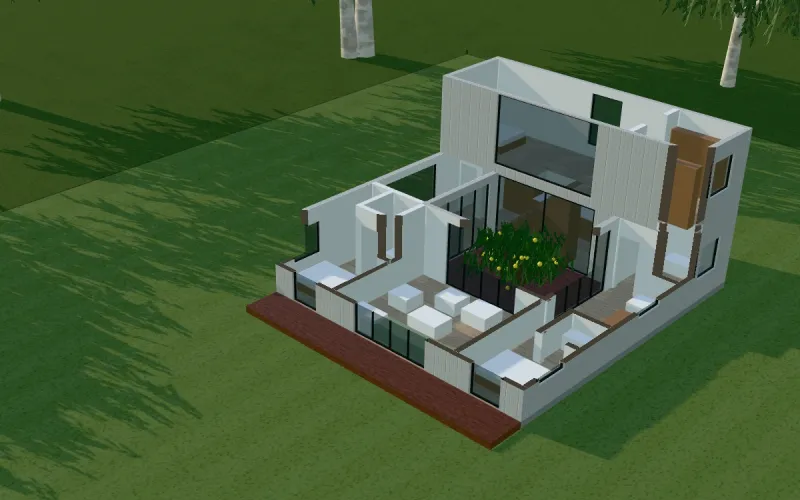
CutawayWalls cut at window height. 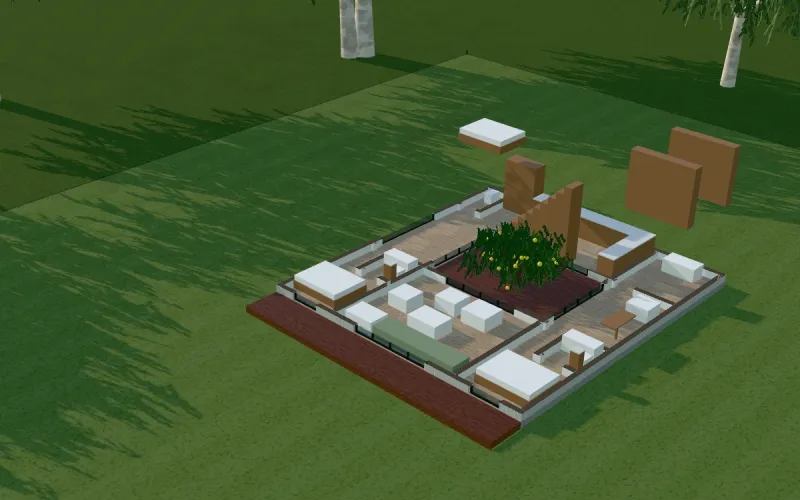
Walls downThe plan, in 3D.
A PLACE Collection concept home, Designed for PLACE, on the sample block. Real screens from PLACE Build.
The sun across the day.
- Tap the sun button at the top to open Sun and place.
- Choose a capital city and a date. Midsummer and midwinter tell you the most.
- Slide the time from early morning to evening and watch the shadows move across the block and in through the windows.
It shows where the light falls, room by room. Treat it as a guide, not a solar study: the sun position is approximate.
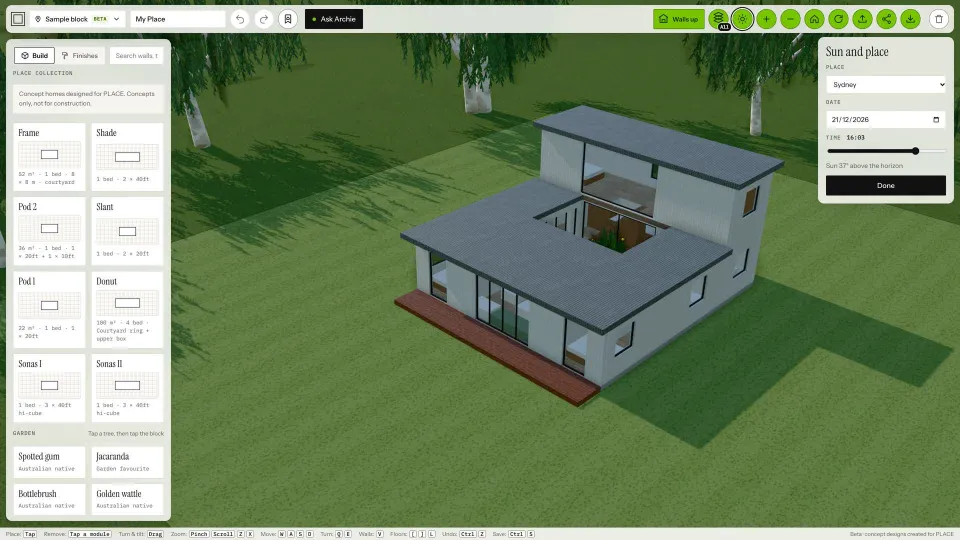
Example figures, drawn for this page.
Try it on a real NSW block.
- Tap Sample block at the top left and type an NSW address.
- PLACE Build shows the lot on the aerial photo, with its boundary and edge lengths, true north, the sun for that place and the buildings next door as grey blocks.
- The home drops in facing the street. Drag it to move it, turn it, or swap it for another.
- A card shows Fits, Tight or Check with council. Tap “See the checks” for the details.
NSW addresses only, in beta, and indicative. It's not a survey or planning approval. Setbacks are usual figures, not your council's rules, and the land is shown flat. Saving, exports and AI pictures on a real block come later. PLACE doesn't store the address you type.
People for scale.
Scale figures show how big rooms and paths really are: a 900 mm hallway, a 2.7 m ceiling, room for a wheelchair or a pram.

PLACE scale figures · 10 people at true relative scale. Heights and eye heights in metres.
- Place people anywhere. Open People in the left panel, tap a person, then tap the block or a floor: in a room, on the deck or out on the lawn. Drag to move them; turn them on their card.
- The seated figure sits on any seat: a chair, sofa, bench, bed or step.
- Five colours, one person or all. Ink, Slate, Stone, Clay and Warm white. Colours are a drawing style, not skin tones.
- They appear in your photos when you use Make photo.
- See from here Coming
Look out from a person's eye height.
People on a real NSW block come later.
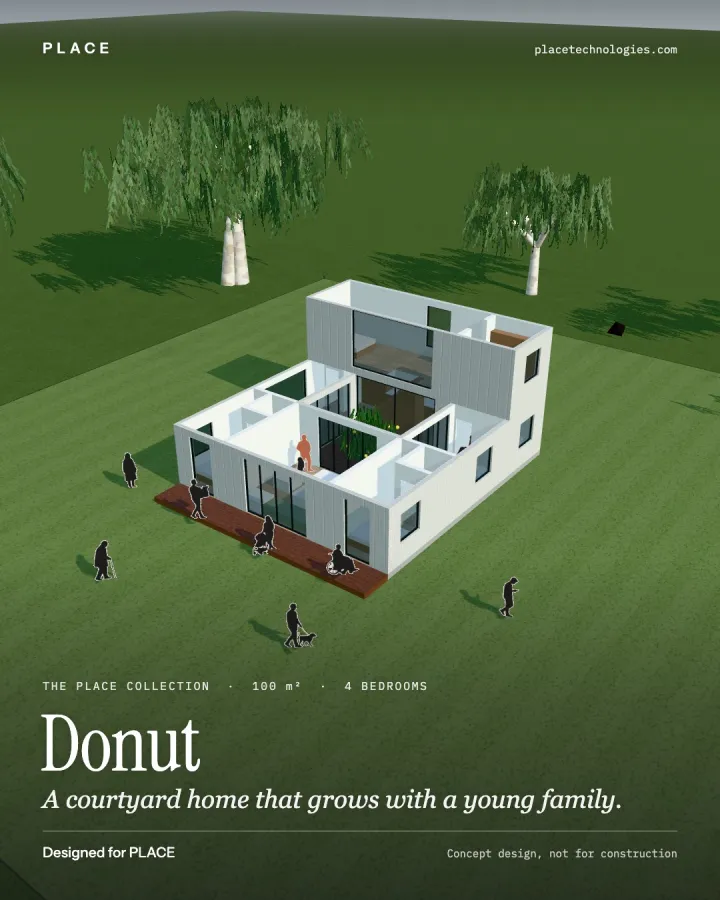
Make a photo and share it. Make it beautiful.
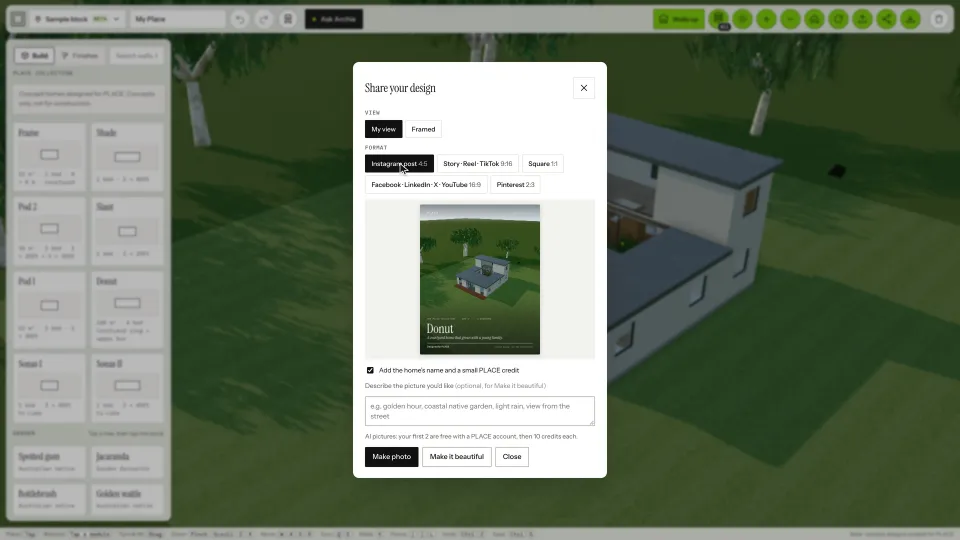
Make a photo
- Tap Share at the top.
- Choose My view or Framed, and a format: Instagram post, Story, Square, a wide picture or Pinterest.
- Keep the home's name and a small PLACE credit on the picture, or turn them off.
- Tap Make photo to save it, or send it from your phone's share menu.
Make it beautiful
Turns your view into an AI picture. You can add a line about the picture you'd like, such as “golden hour, coastal native garden”. Your first 2 AI pictures are free with a PLACE account, then 10 credits each (A$1, incl. GST).
AI-enhanced, indicative. The AI adds a setting and light, so details may differ from the design. Not yet available on a real NSW block.
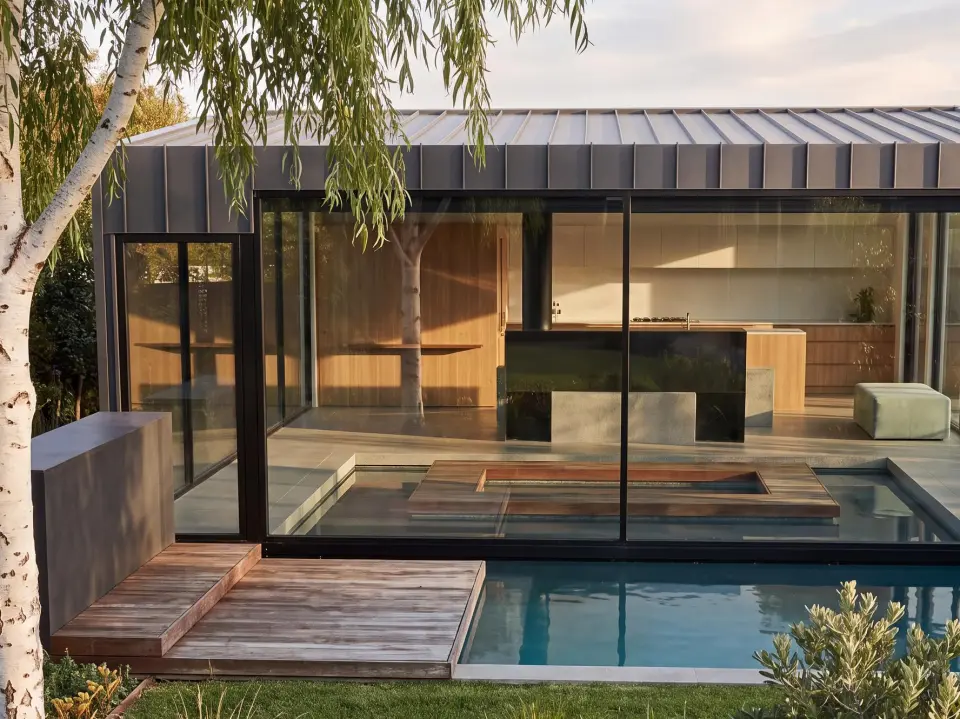
Sonas I, Designed for PLACE, made with Make it beautiful. AI-enhanced, indicative.
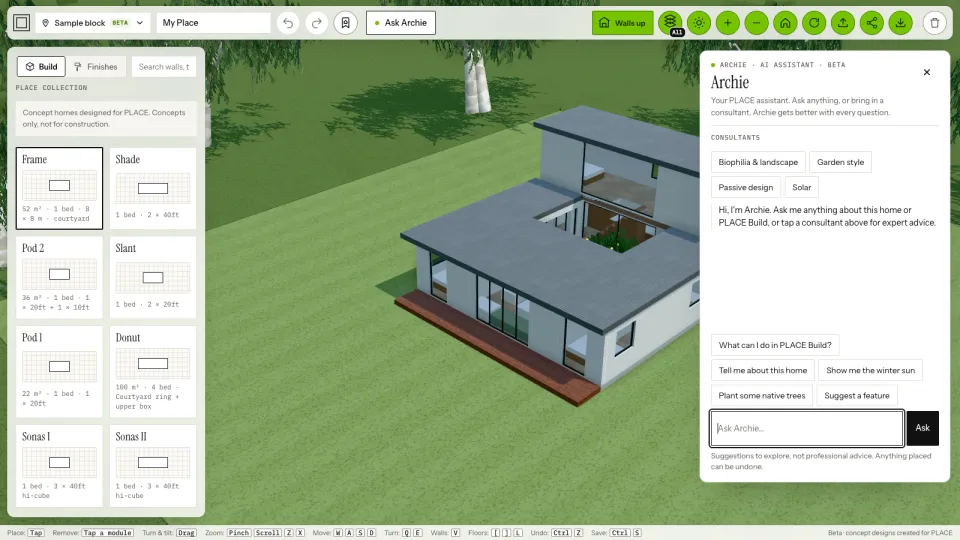
Ask Archie for help.
Tap Ask Archie at the top. Archie is PLACE's AI assistant: ask about the home in front of you, or how to do something in PLACE Build.
- Try “Show me the winter sun” or “Plant some native trees”. Archie can turn the sun and place trees or solar panels for you. Anything placed can be undone.
- For a second opinion, pick a consultant: biophilia and landscape, garden style, passive design or solar.
Archie's suggestions are ideas to explore, not professional advice. Archie is AI and can make mistakes.
Straight answers.
Is PLACE Build free?
Yes. Exploring homes, the walls views, the sun, a real NSW block (beta) and photos are free, with no sign-in. AI pictures with Make it beautiful need a PLACE account: your first 2 are free, then 10 credits each.
Can I build a PLACE Collection home?
No. The PLACE Collection homes are concept designs, Designed for PLACE, and not for construction. Homes that housing companies publish on PLACE are theirs: ask the company about building one. PLACE doesn't sell homes.
How accurate is the real NSW block?
It's a beta for NSW addresses, using NSW Government boundaries and aerial photos with usual setbacks. It's indicative: not a survey or planning approval, it doesn't know slope or your council's exact rules, and it says so on screen.
Does PLACE keep the address I type?
No. The address goes straight from your browser to the NSW Government's address and map services. PLACE doesn't store it, and Archie never asks for it. See the privacy page.
Does it work on my phone?
Yes. PLACE Build runs in the browser on phones, tablets and computers, with nothing to install. A newer device gives smoother 3D.
Pick a home, put it on a block.
No sign-in to explore. Ask Archie if you get stuck.